How it works
slowd
The display program: it puts cards on the screen, shows what each key does, answers presses at once, and keeps the e-paper within its limits.
slowd drives a screen. It fetches cards from one hub, places them on the screen according to the layout, draws the strips, answers key presses, and decides when each part of the screen may refresh. It is the only program that touches the panel.
slowd runs on the computer wired to the screen: on a Slowboard 1085, that is the board itself, next to its hub. It never runs apps and never draws a card’s picture; those come from the hub ready-made.
Decks, cards and keys
The layout, held by the hub, divides the screen into slots. Each slot shows a deck: the cards from the feeds you chose for it, in order, starting with the first feed’s home card. A Slowboard 1085 starts with three slots side by side, but any arrangement of slots across the width works.
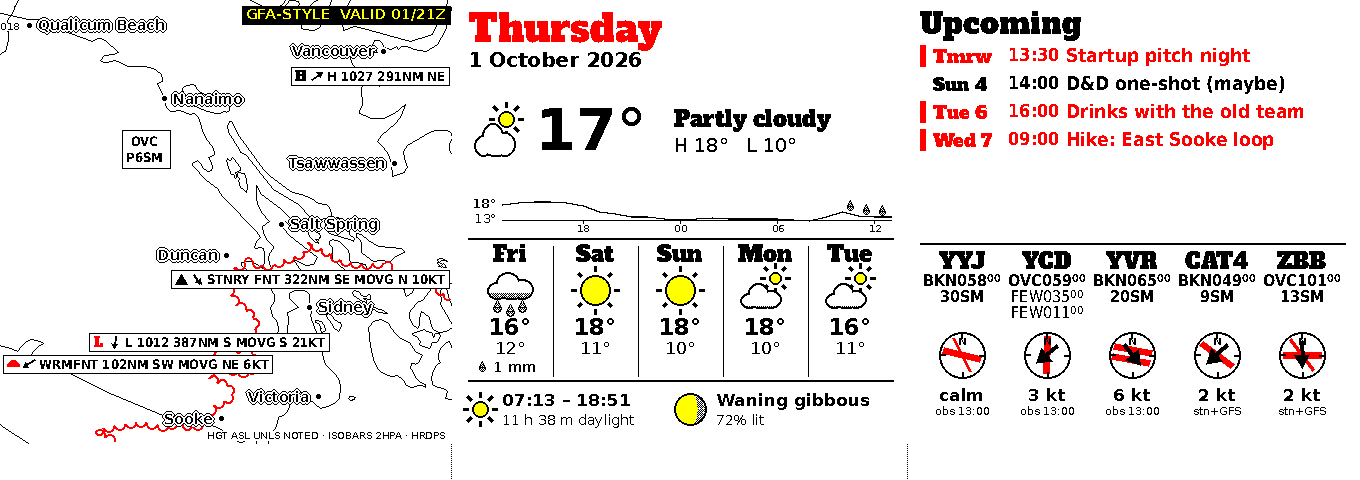
Under each slot’s card is a thin strip, drawn by slowd itself. It shows:
- the title of the next card, and how many more are stacked;
- what each key does right now;
- a question’s answers, when the slot is asking one;
- an “as of 09:30” note, when the cards are older than they should be.
Because slowd draws the strips from text, changing a strip never needs an app to run.
What the keys do
The Slowboard 1085 has four keys: ▲ red, ◆ yellow, ■ black and ● white. The keys are generic. What a key does at any moment is printed in the strip, next to its symbol:
- tap to show the next card;
- hold for half a second to go back to the first card;
- or, when a slot asks a question, tap or hold to choose one of up to four answers.
A detail card returns to the home card on its own after a while (ten minutes by default).
TODO(owner): confirm how a key comes to act on a particular slot (today the layout’s
keyandspare_keyfields assign them) and what holding the key that isn’t assigned to a slot does, so this section can say it plainly.
Why a press is instant
slowd only offers a key once every card that key can lead to is already stored with the screen: the next card, the home card, and every answer’s reply card. A press never waits for an app, the hub or the internet; it goes straight to the screen.
After a press, the slot rests: its strip offers nothing until that part of the screen may refresh again. Then slowd refreshes the strip alone to offer the keys again. A press on a resting slot is ignored, not saved for later.
Questions
An app with the questions grant can ask something, such as “Water the plants?”, with up to four answers. When the question’s time comes and its slot may refresh, slowd shows it: either as a question card filling the slot, with the answers in the strip, or as a line in the strip. Choosing an answer shows that answer’s reply card at once and sends the answer back to the app through the hub. If the hub is unreachable, slowd keeps the answer and delivers it later.
When the screen refreshes
E-paper wears if the same pixels refresh too often, so slowd keeps a cooldown for every area of the screen, not for the screen as a whole. A slot’s card and its strip are separate areas, so a card can change and its strip follow straight after.
In order of priority, slowd refreshes for:
- a key press;
- a question that is due;
- a heal: a full, high-quality refresh once a day and after a long gap, which clears leftover ghosting;
- offering the keys again after a rest;
- scheduled updates, at fixed times through the day (every 30 minutes by default, inside active hours);
- commands from the hub.
A slot only refreshes on schedule if its card has really changed. Old content is never blanked: a card that has gone stale stays, with an “as of” note in its strip.
The exact timings and limits come from the screen’s profile.
Without a hub, a network or a clock
- Hub or network down: the screen keeps its cards, keys work, answers are kept and delivered later.
- After a reboot: slowd restores the cards it had stored and offers the keys again, even with no internet.
- Clock not yet synced: keys work, but scheduled updates, quiet hours and questions wait for the clock.
- Power cut during a refresh: on the next start slowd does a full refresh, because it can’t be sure what the screen shows.
Next
- slowd reference: configuration, files, timings and commands
- slownet: how a Slowboard gets on Wi-Fi
- The protocol: how slowd talks to the hub